
Puzzle
scope
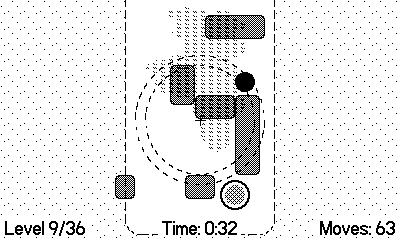
Navigate a circular scope through increasingly complex levels by moving and rotating it with precision to guide your scope to the exit.
No counted CrankRank yet
Rankings appear as more ratings come in. A game charts once it has enough counted ratings.
Reviews
Ratings from accounts under 7 days old are shown and left out of the average.
Reports are read against the community guidelines.
Most-helpful review / open spot
Be the voice someone plays by.
Mark a review as helpful and it will sit here. Until then, the crank is waiting.
No member reviews yet.
Description
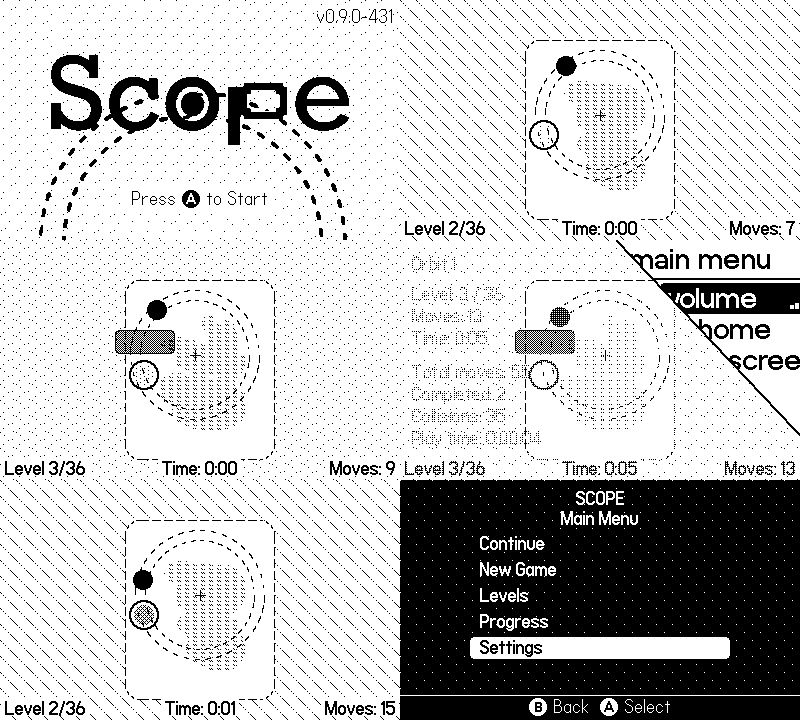
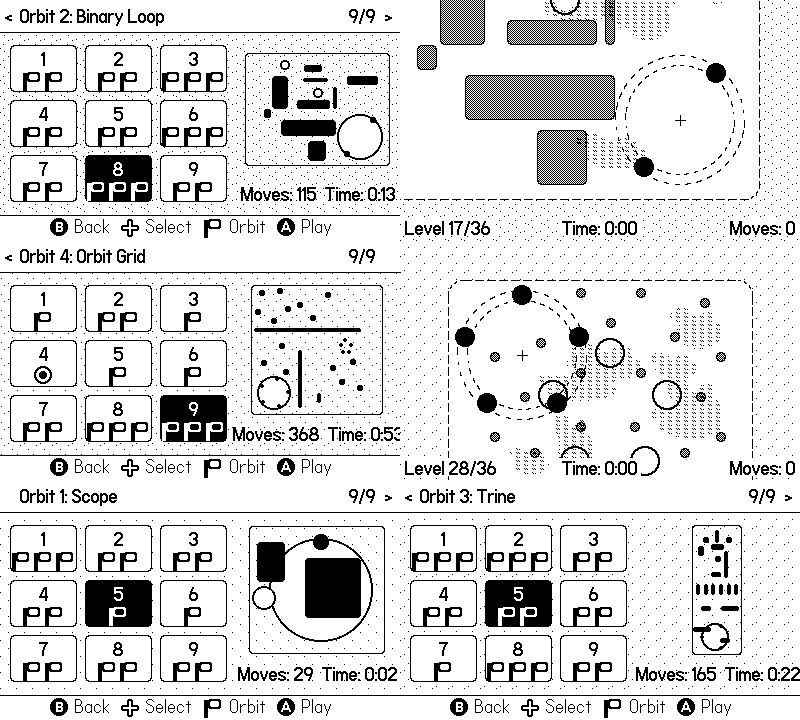
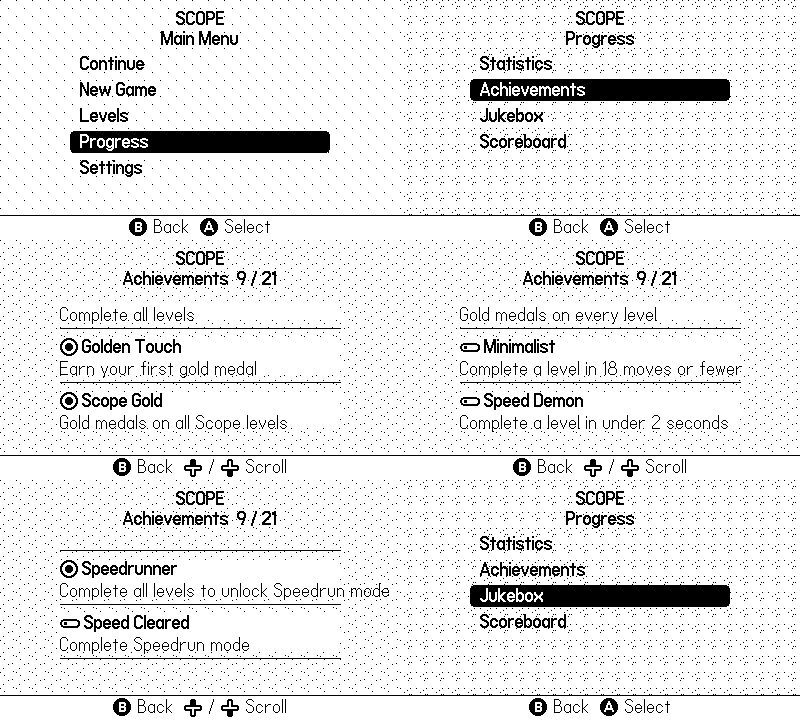
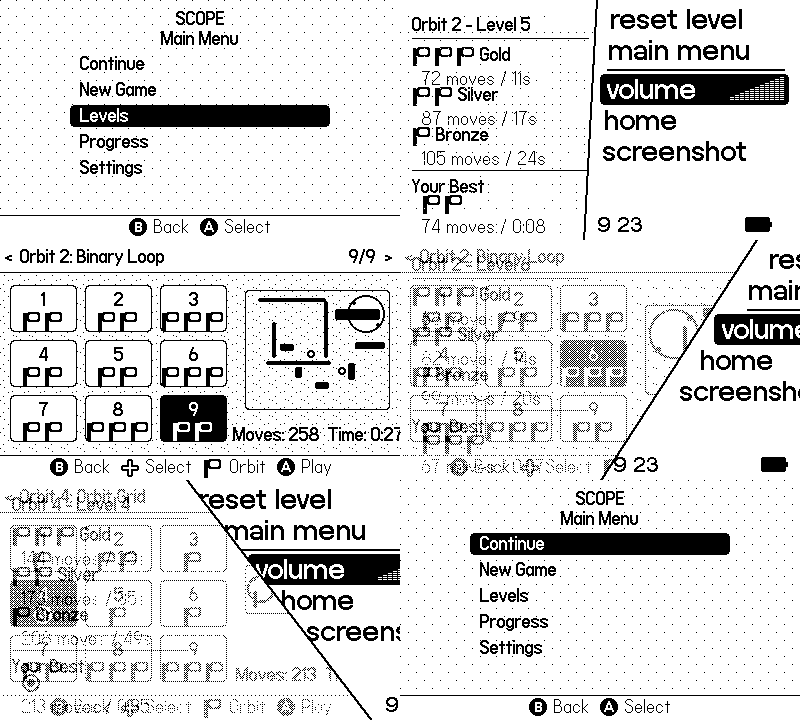
Navigate a circular scope through increasingly complex levels by moving and rotating it with precision to guide your scope to the exit. It might seem easy at first, but tight spaces, obstacles, and precise crank control will challenge every move you make. What's Inside: 36 Handcrafted Levels across 4 distinct Orbits. 36 Handcrafted Levels across 4 distinct Orbits. Medal System by earning Gold, Silver, or Bronze Cranks. Medal System by earning Gold, Silver, or Bronze Cranks. 2 Game Modes, Normal and Speedrun. Unlock Speedrun by completing levels. 2 Game Modes, Normal and Speedrun. Unlock Speedrun by completing levels. 21 Achievements with progressive challenges. 21 Achievements with progressive challenges. 3 Save Slots for multiple save files. 3 Save Slots for multiple save files. Jukebox to listen and unlocked 12 in-game music tracks. Jukebox to listen and unlocked 12 in-game music tracks. Track your progress Stats. Track your progress Stats. How to Play: Dpad moves the Player Track. Dpad moves the Player Track. Crank rotates the Player Scope along the track. Crank rotates the Player Scope along the track. Player Track collides with boundaries. Player Track collides with boundaries. Player Scope collides with obstacles. Player Scope collides with obstacles.
- Crank: Optional
- Tilt: Not used
- Microphone: Not used
Credits
Game Design & Development: Original idea by Alexandre Fontoura (xesf) Music & Sound Design: Alexandre Fontoura (xesf) Tools: Aseprite Arturia MiniLab 3 & Ableton Live 12 Playdate C SDK v3 Visual Studio Code with Copilot
Accessibility
This game uses the D-pad, A/B buttons, and the Crank. Core gameplay can be played with D-pad and Crank, but optional controls with A/B buttons can be used. Challenges rely on timing, spatial reasoning, and moderate input precision rather than rapid button mashing. There are no spoken instructions or required audio cues to complete levels. Text is minimal and presented in high-contrast black-and-white visuals. No color differentiation is required to play. Multiple accessibility options are available: Dark Theme, Unlock Levels, Crank Sensibility, Invert Crank, Left-Handed, A+Dpad for Rotation.
Screenshots
Community
A forum for this game. Talk it through, ask for help, request a feature, or add a wish.
Reports are read against the community guidelines.
Discussion
Nothing here yet.
Questions
Nothing here yet.
Hints & help
Nothing here yet.
Feature requests
Nothing here yet.
Wish list
Nothing here yet.
Update notes
Nothing here yet.
Watch before you crank
Embedded here, grouped by what you want to see. Press play to load YouTube.
No videos of that kind.
Elsewhere in the community
Independent write-ups / not member ratings
No written reviews yet.
Scoreboards
Rankings are read from the public Catalog page. CrankRank does not submit scores.
Normal - Best Moves
- 1 xesf 3,451
- 2 TrickQuestion 10,441
- 3 SamSpudd 12,430
- 4 3870025202870959 14,377
- 5 skyhighdeany 23,935
Normal - Best Time
- 1 xesf 447,534
- 2 TrickQuestion 1,849,806
- 3 SamSpudd 2,732,273
- 4 skyhighdeany 8,475,676
Speedrun - Best Moves
Live rankings could not be loaded. The board is still listed on the Catalog page.
Speedrun - Best Time
Live rankings could not be loaded. The board is still listed on the Catalog page.
Age note: This is a logic puzzle game with abstract visuals and the gameplay focuses on spatial reasoning, timing, and strategy, and we consider it appropriate for players of all ages.
AI: To bring Scope to life with the depth and polish it deserves, I used Generative AI Coding Assistants as part of my development pipeline. As a solo developer, my goal was to maximize efficiency and tackle complex technical tasks that would normally demand far more time than a single person can affort. By automating repetitive coding tasks, I spent less time on routine technical maintenance and more time manually crafting the creative gameplay, balancing mechanics, and polishing the player experience. This approach ultimately allowed me to deliver a much more stable, feature-rich game within a reasonable timeframe than would have been possible otherwise.